My New Junior Developer, Claude
I've been using Claude Code quite a lot recently. And while it hasn't replaced 100% of my programming, it is becoming invaluable for tasks that either require too much time (I have a baby), or for things that have low ROI. E.g. I don't have hours to rebuild a new theme for my blog. But Claude can do it in a few prompts.
The primary project I've been using Claude with is this blog. It's an 11ty blog with a lot of custom formatting, so most changes require some investigation and development. So that means when I have a quick idea I want to explore, I rarely have the time or effort.
But over the past week or so, I've added quite a few updates to this blog.
Redesign
It started with a complete design overhaul. This started with a few investigative prompts to Claude on the web interface to play around with how I could redesign the home page of my blog. I wanted to transform from just showing the first page of blog posts, to something that also showed projects, and social links. It generated a static HTML file, and I was pretty impressed with it. Of course, I wanted some tweaks, but the feel of the design was very appealing. So I told it to generate a design style document that I could use to help redesign the blog.
Once I had that design style document ready, I used Claude Code to first create a plan on how to implement the design. Then I asked it to proceed with each step, so I could review in between, and ask for some small changes.
After not much time, I had a new site design that I was very happy with.
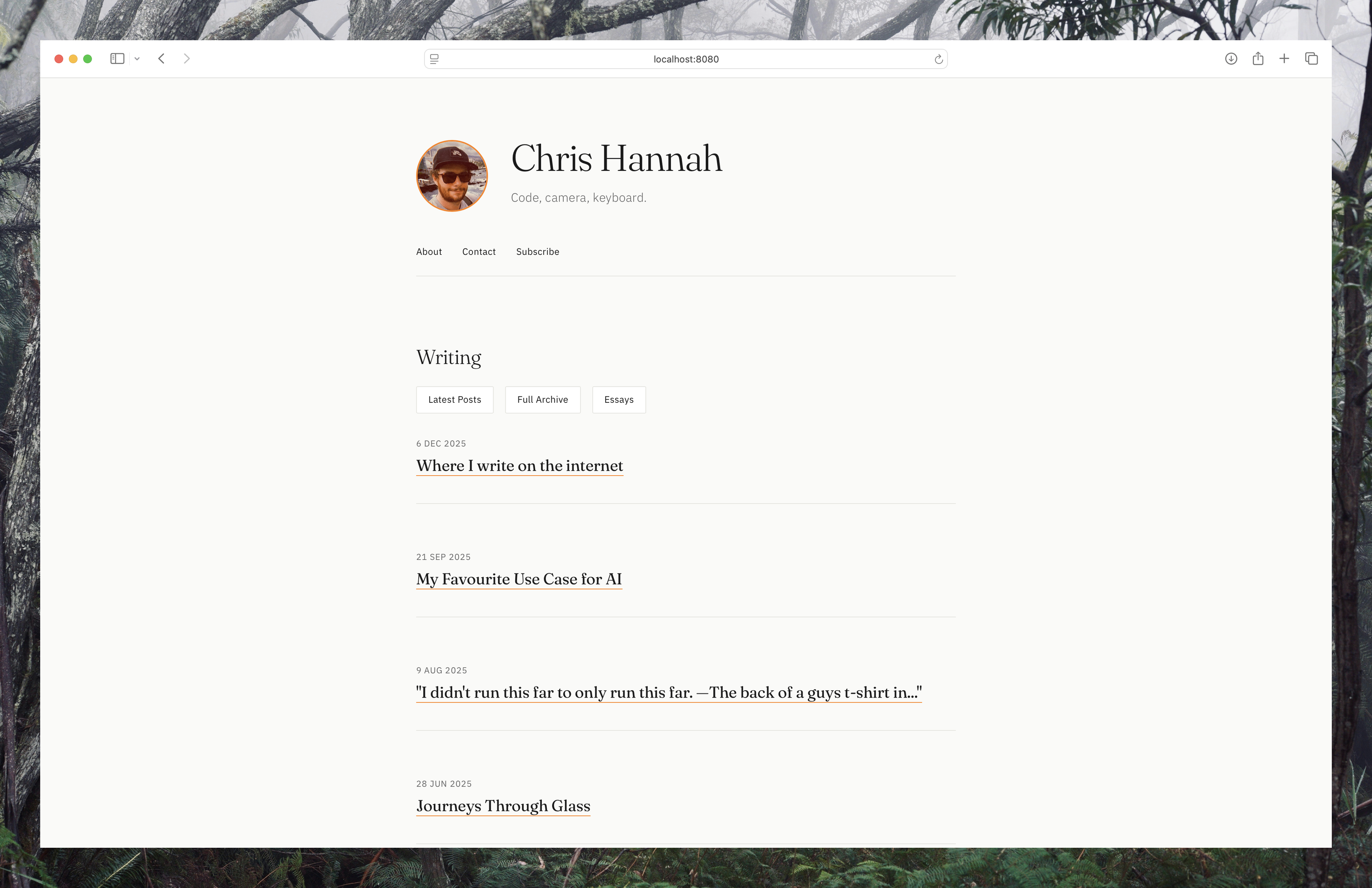

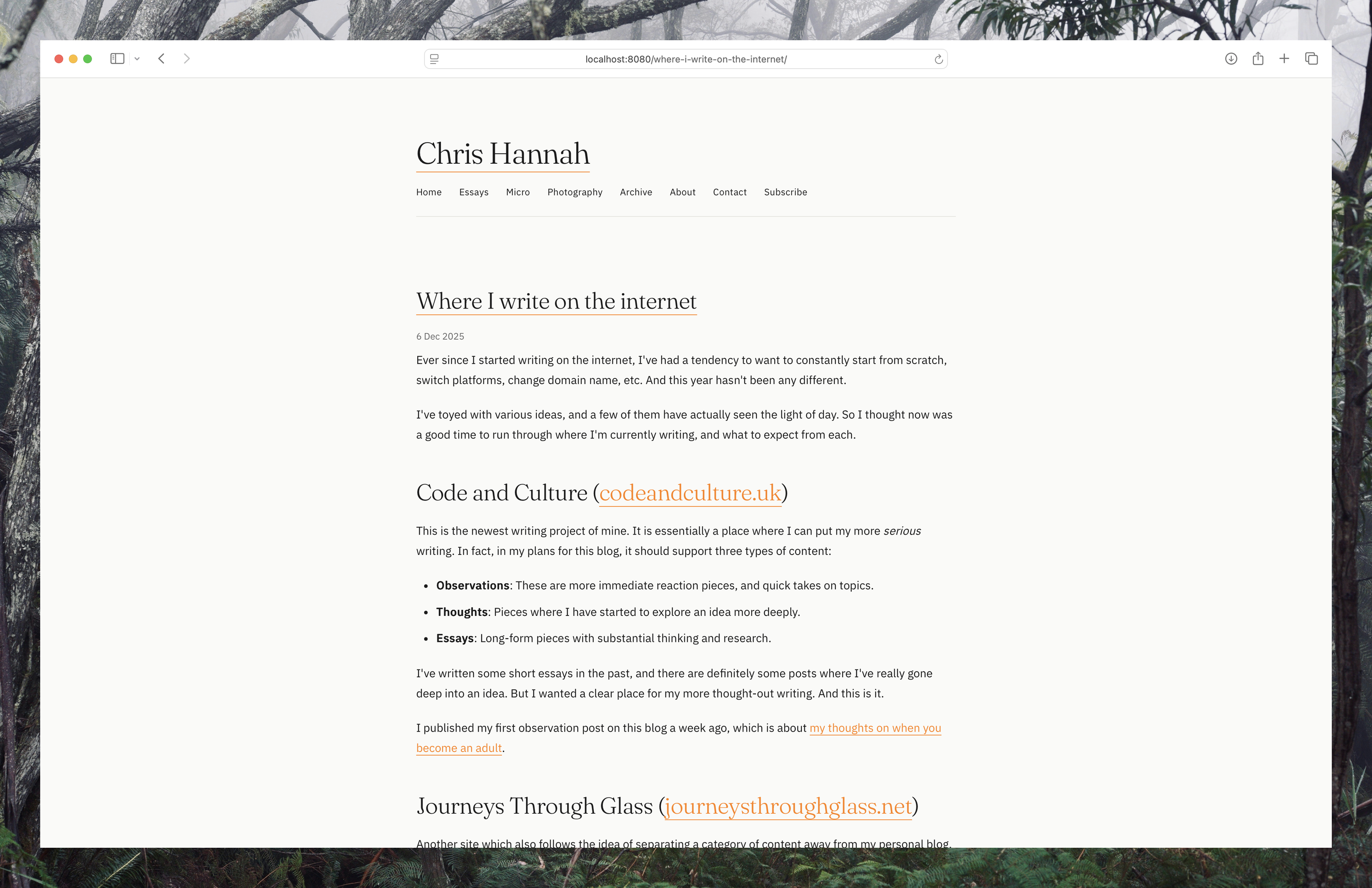
Once the site was built, it was quite easy to make small additions such as dark mode, better fonts, etc. The understanding of the code and context around what the site is still impresses me. The fact that I can say "change the nav bar on the home page to X", and it can work out what file and bit of code to change is pretty cool.
Open Graph Images
The next thing I tackled was the open graph images that are generated for each blog post, which are displayed when posting to social media. I had built something before for this, but I was never happy with it.
So first I asked Claude to redesign the image to fit with the theme's colours, ensuring that the post title, site title, and site url are in the image. It came up with something simple, and I thought it was good enough for now. It's not spectacular, but it's clear, and it fits with the site's design.
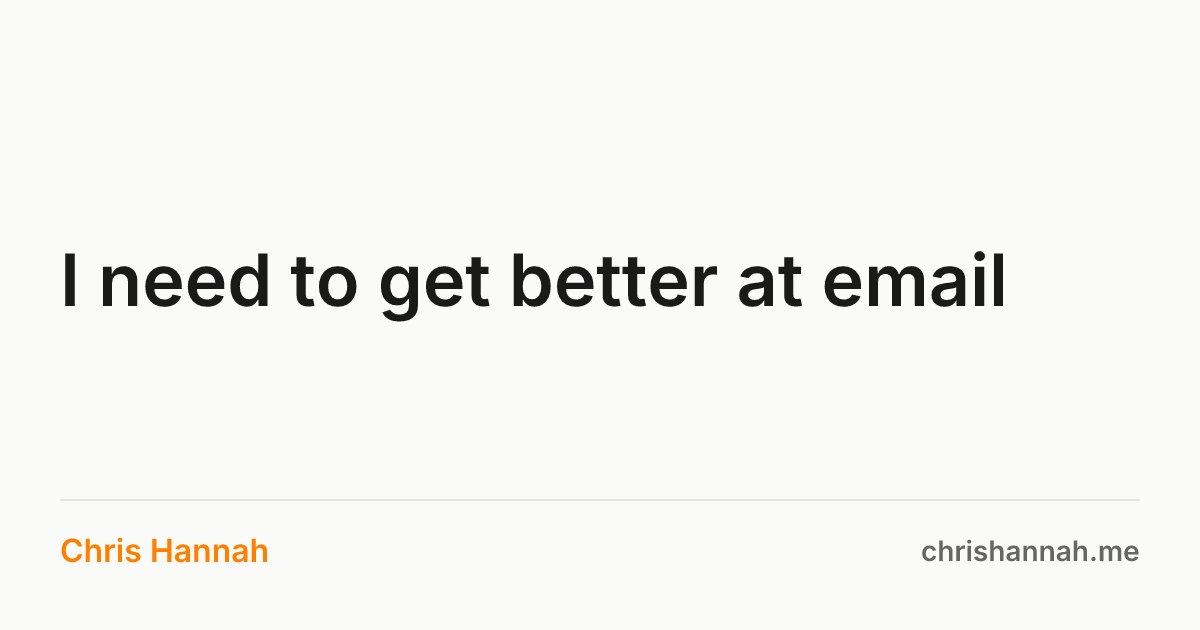
Once it was being generated, I was asking it many questions about how it could be refactored to make it faster, not always generated locally, and a few other improvements. In the end, it swapped out the existing image generation which was creating a static image for every post, for a Vercel serverless function that dynamically generates the OG image based on the post title being passed as a parameter.
Under the hood it uses Satori to generate the images. After they're generated, the images are then cached in the Vercel CDN.
Post Inbox
The next thing I asked Claude was to come up with ideas on how I could make posting to this blog easier.
At the core, every post on this blog comes from a Markdown file in a specific folder structure, with some frontmatter to control things like the permalink, layout, tags, etc. It's then deployed via Vercel after detecting changes in the Git repo.
I've had a few bash scripts that I could run locally on a computer to kickstart the process, but it still felt cumbersome.
Claude came up with a few ideas, including using a CMS which would sit on top of my static 11ty site. I wasn't really fond of that at all, as it's yet one more thing to manage. But it did suggest an "inbox" idea, which was to have a new folder that would store new posts, and then a GitHub action could be triggered, which would process this file, generate some basic frontmatter, and move to the correct directory.
That sounded like a good solution, so it went ahead and built it.
So now, if I want to quickly post something to the blog, I just need to create a Markdown file, ensuring there is an H1 header on the first line, place it in the /inbox/ directory, and push to the Git repo. This means even on my iPhone, I can use Shortcuts and Working Copy to automate it even more.
In fact, the last post on this blog was published via this Git action.
And now with this post, the inbox processing feature will also handle images. I simply gave it an example scenario of placing 2 files in the inbox folder, post.md and image.jpeg and the post contents having the image referenced as . From that, it updated the script to move the images to the correct location, ensuring that the relative link will work.
Home Page Excerpts
When the home page was initially built, the blog section was just a list of titles, without any content. And while I liked the minimal style, sometimes a title can't capture the meaning of a post. So I decided I wanted a short excerpt displayed, just to give a quick feel of what the post is about.

There was a bit of trial and error to get it looking right. But in the end it looks like this:
- Clean up the whitespace, remove HTML tags and Markdown formatting.
- If content is shorter than max excerpt size (300 characters) simply use that.
- If the excerpt ends mid-word, cut to the previous word.
- If the final line of the excerpt is less than 30 characters, remove it.
I expect in the future I will add a way to add a specific excerpt divider in a post. But at least this gives me a good default behaviour.
RSS Feed Optimisation
This was a small task I completed with Claude today. I had a few different RSS feeds being generated for this blog, including a few duplicates of the main feed that were due to previous blog platform migrations.
I wanted to clean it up, so I first asked Claude to analyse what RSS feeds were being generated. It found 5:
- Main post feed
index.xml/rss/feed
- Tag-based feeds
/post.xml/micro.xml/essay.xml
That seemed a bit ugly to me, so I asked it to restructure to only generate 4 actual feeds:
/feed- All content/feed/post- Just standard blog posts/feed/essay- Essays/feed/micro- Micro posts
Claude changed the feed generation to use these new outputs, and updated the Vercel configuration to rewrite these feeds to the older locations so nothing breaks.
At the same time, the RSS feeds were updated to follow the RSS specification.